
In this project
Arduino Vibration Sensor (SW-420) is a high sensitivity non-directional vibration sensor. When the module is stable, the circuit is turned ON and the output is high. When the movement or vibration occurs, the circuit will be briefly disconnected and output low. You can adjust the sensitivity of this sensor with the help of a trimmer potentiometer. So Today in this tutorial I am going to show you how to use Vibration Sensor SW-420 with Arduino micro-controller.
So Today in this tutorial I am going to show you how to use Vibration Sensor SW-420 with Arduino micro-controller.
Hardware Components
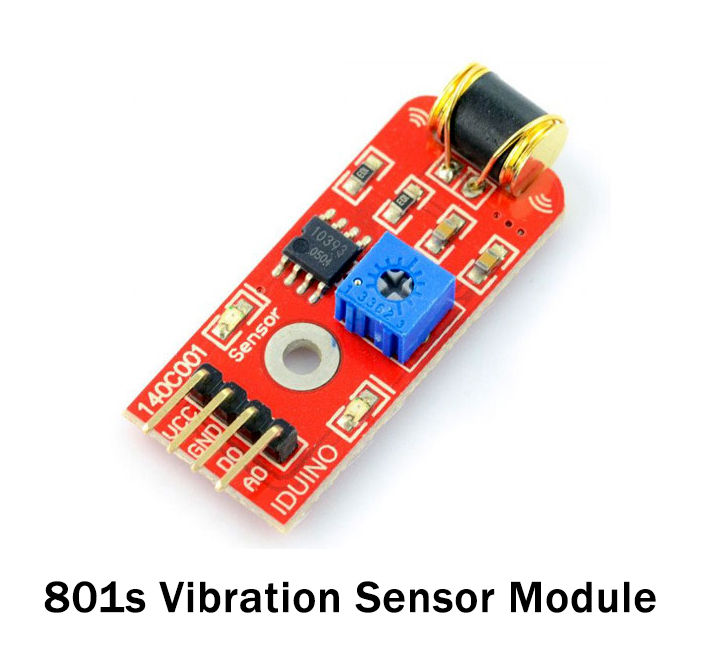
Following components are required to make Vibration Sensor Module
| S.NO | Component | Value | Qty |
|---|---|---|---|
| 1. | Arduino Uno R3 | - | 1 |
| 2. | USB Cable A/B | - | 1 |
| 3. | Vibration Sensor | SW-420 | 1 |
| 4. | Breadboard | - | 1 |
| 5. | Connecting Wires | - | 1 |
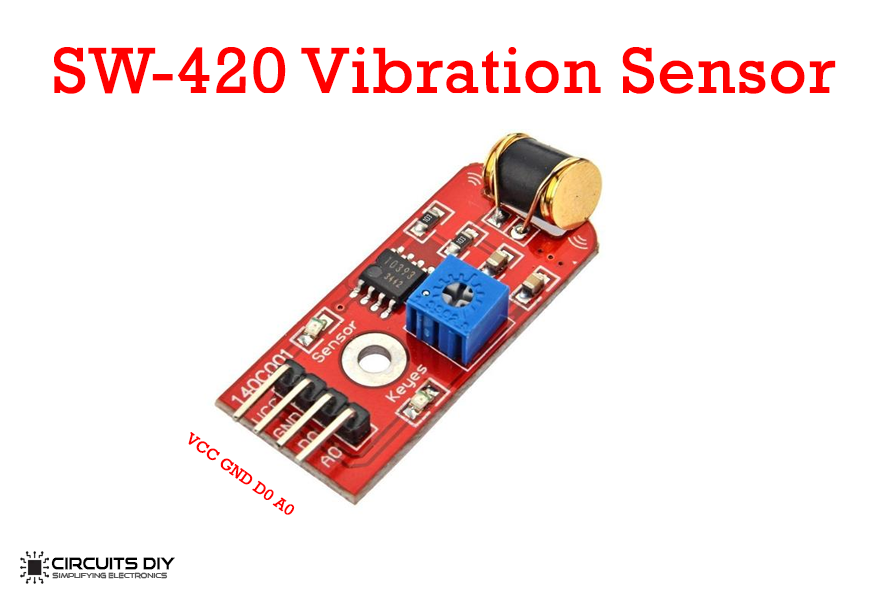
SW-420 Vibration Sensor Pinout
| Pin Name | Pin Description |
| VCC | 5V |
| GND | 0V |
| D0 | Digital Output |
| A0 | Analog Output |
Useful Steps
Follow all steps carefully from the video tutorial above (Highly Recommended).
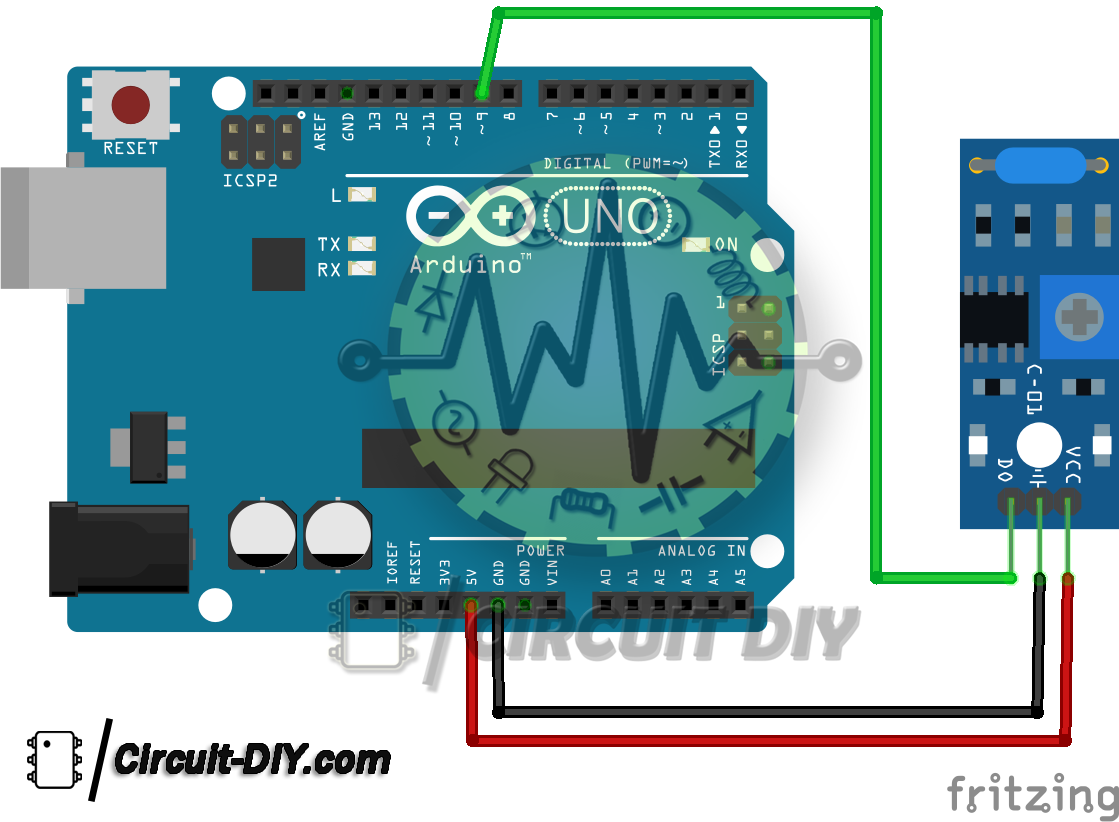
STEP # 1 ( Make Vibration Sensor Connections )
- VCC – To VCC of Arduino.
- GND – To GND of Arduino.
- D0 – To D9 of Arduino.
STEP # 2 ( Burn Code )
- Copy code & upload it to Arduino Board using Arduino IDE Software
Circuit Diagram
Working Explanation
This module is a high-sensitivity non-directional vibration sensor. When the module is stable, the circuit is turned on and the output is high. When the movement or vibration occurs, the circuit will be briefly disconnected and output low. At the same time, you can also adjust the sensitivity according to your own needs.
It consists of an SW-420 vibration sensor, an LM393 comparator, an LED and a potentiometer. The threshold can be adjusted by turning the potentiometer, When it detects vibration that is above its set threshold, it will send a HIGH signal and if no vibration or below the threshold, it will send a LOW signal.
Arduino Vibration Sensor Code
int ledPin = 13;

void setup()
{
  Serial.begin(9600);
  pinMode(ledPin, OUTPUT);
  pinMode(ctsPin, INPUT);
}

void loop()
{
  int ctsValue = digitalRead(ctsPin);

  if (ctsValue == HIGH)
  {
    digitalWrite(ledPin, HIGH);
    Serial.println("TOUCHED");
  }
  else
  {
    digitalWrite(ledPin,LOW);
    Serial.println("not touched");
  }
  delay(0.9);
}
Application SW-420
- SW-420 can be used for detection vibrations


Discussion
Be the first to comment